1. Export an Audition marker file from Notetracks Pro
To export markers and comments from Notetracks Pro, click the Download button in your active session and select "NoteTracks.com > Audition Markers (.csv)".
2. Use the "Convertidor de marcadores" to convert the Audition marker file into a CSV file
Open the free Convertidor de marcadores, select "Audition" and set "convert" to "CSV for Apple Numbers". Generate and download the file. Si tienes problemas para convertir el archivo, puedes ponerte en contacto con el soporte gratuito.
3. Import the CSV file into Numbers
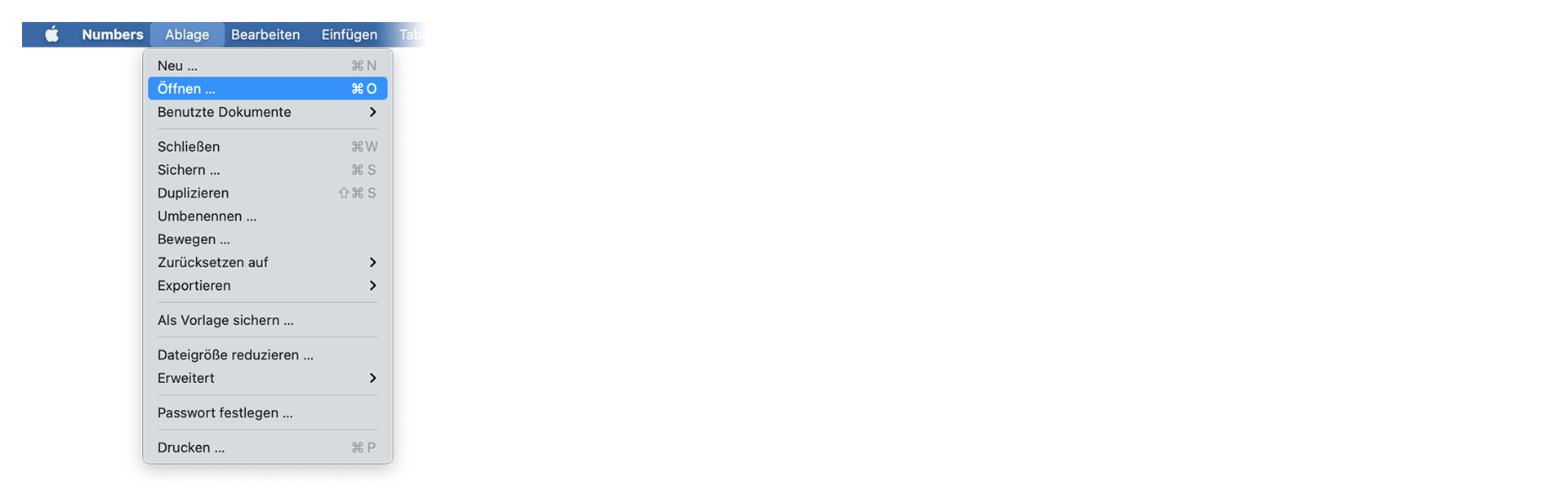
Open Numbers and go to "File -> Open". Simply open the CSV file.
🚀 Listo
¡Eso es todo por ahora! Si este tutorial te ha resultado útil, compártelo para apoyarnos. Si tienes alguna sugerencia para mejorar el flujo de trabajo, ¡cuéntanoslo!